Overview
Daily limits on an individual phone number assigned for outbound calling, or Direct Inward Dialing numbers (DID), help protect the health, compliance, and stability of outbound calling. Without limits, excessive dialing on individual DIDs can cause:
- Carrier blocking due to abnormal traffic patterns
- Decreased answer rates
- Operational inefficiencies when some DIDs are overused while others remain underutilized
Benefits of implementing daily DID limits include:
- Risk mitigation by reducing service disruption from carriers
- Improved answer rate consistency
- Operational control through transparent monitoring and configurable thresholds
Daily limits ensure dialing traffic is distributed in a controlled and consistent manner, protecting both the infrastructure and the business's reputation.
Setting daily DID limits
The preset daily DID limit options are: No Limit, 75, 100, 150, and 200. No Limit means there is no maximum number of calls that can be placed per DID per day.
To set a DID daily call limit:
- In Readymode iQ, click Advanced > Settings.
- Expand the Max Calls Per DID Per Day drop down and select from No Limit, 75, 100, 150, or 200.
- Click Save.
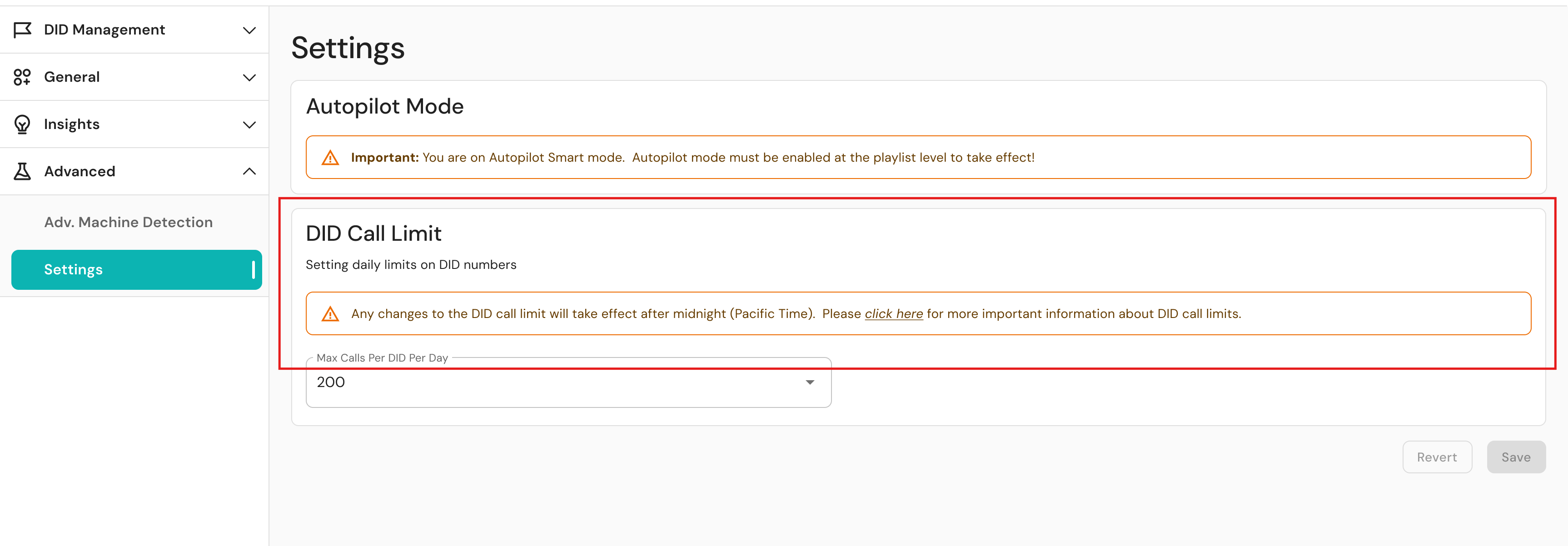
All changes, including setting the feature to No Limit, take effect after the daily update at 12:30 AM Pacific time zone, 3:30 AM Eastern time zone. Account for your local time zone when considering your daily specified limits.
When the DID daily limit is surpassed
If all DIDs in an area code reach their daily limit, they are removed from the general pool, and proximity matching switches from area code to state-level matching. If all DIDs have reached their limit, the system sends calls in a circular order from all available DIDs, regardless of campaign restrictions.
This behavior is critical to understand because it overrides any previously configured campaign restrictions and can result in calls to restricted or otherwise unavailable numbers. This could include numbers from different time zones, customer segments, or prohibited lists.
Was this article helpful?
That’s Great!
Thank you for your feedback
Sorry! We couldn't be helpful
Thank you for your feedback
Feedback sent
We appreciate your effort and will try to fix the article