Want to send follow-up emails to your contacts? Learn about our Outbound Email feature here.
About Outbound Email
Using the Outbound Email feature, you can enable Readymode to send template-based emails from your own email addresses.
Your Default Outbound Email is the email address used for outbound messages sent from Readymode. Replies to messages sent from this email address will be returned to the usual inbox for this email address so that your team can manage them directly.
If you would like to configure a different outbound email address for a specific Campaign, you can do this using the Campaign Outbound Email. Similarly, the User Outbound Email available in User Settings can be used to configure a different outbound email address for a specific User.
Navigating to Outbound Email
To view and manage Outbound Email, navigate to Settings on the Dashboard.
Note: You'll need "Application Manager" Permissions to view Settings.
Note: Gmail is currently not compatible with Readymode and cannot be configured for Outbound Email. For further information contact Technical Support.

Under Settings, select Agent Options to open Profile Features.

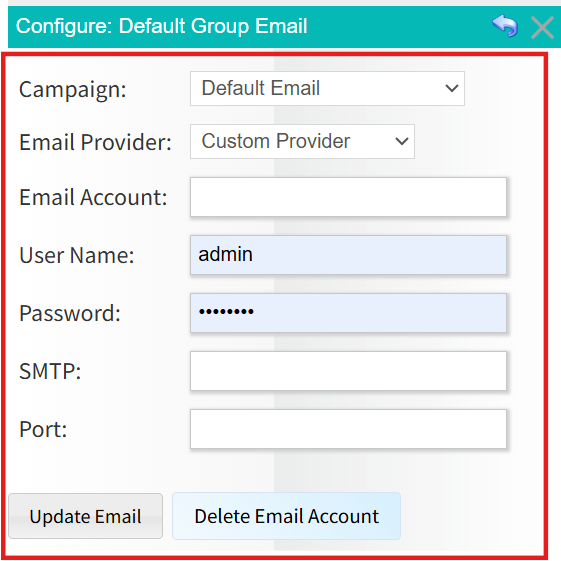
Under Profile Features, scroll to the Outbound Email section and select Configure group email.

You'll now be able to view and manage your Outbound Email.
Was this article helpful?
That’s Great!
Thank you for your feedback
Sorry! We couldn't be helpful
Thank you for your feedback
Feedback sent
We appreciate your effort and will try to fix the article