Want to change your Client Portal password or create an Account Authorization PIN? Read on!
Managing your Readymode Account
You can easily manage your Readymode account online.
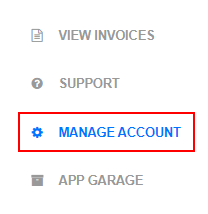
To access these options, navigate to the Client Portal and click on Manage Account.
Managing your Client Portal Password
Your Client Portal login credentials (username and password) enable you to log in to the Client Portal. They will be sent to you by the Billing team along with your Readymode invoice.
If you'd like to change your password, you can so by entering your Current Password (1), creating a New Password (2) and Confirm New Password (3), and then click the Update button (4) to save.

Managing your Account Authorization PIN
Your PIN enables you to confirm your identity with our Technical Support team when making changes to your Readymode account, and enables you to provide authorization for members of your team to make changes on your behalf.
When you or someone on your team contacts our Technical Support team, they will confirm your identity by requesting the Account Authorization PIN. This is a security measure to ensure that individuals who are not authorized to make changes to your account (for example, former employees or someone claiming to be you) will not be able to do so.
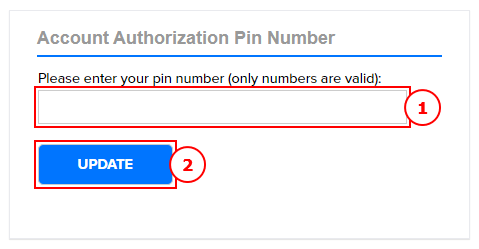
To create or update your PIN, enter it in the PIN field (1) and click the Update button (2) to save.
Was this article helpful?
That’s Great!
Thank you for your feedback
Sorry! We couldn't be helpful
Thank you for your feedback
Feedback sent
We appreciate your effort and will try to fix the article