Curious about setting up IVRs? Learn all about them in this article.
About Interactive Voice Response (IVR)
Using Readymode's IVR feature, you can create interactive menus that enable your inbound callers to connect with members of your team.
Navigating to IVRs
To view and manage IVRs, navigate to Settings on the Dashboard.
Note: You'll need "Application Manager" Permissions to view Settings.

Under Settings, select VOIP to open VOIP features.

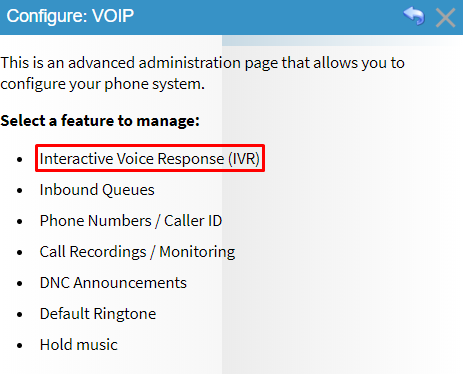
Select Interactive Voice Response (IVR) from the list.
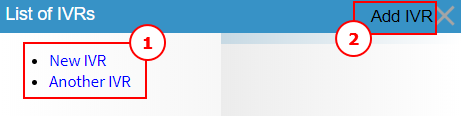
You'll now see a list of IVRs. Click on an existing IVR (1) to manage it, or create a new IVR (2).
Nodes and Options
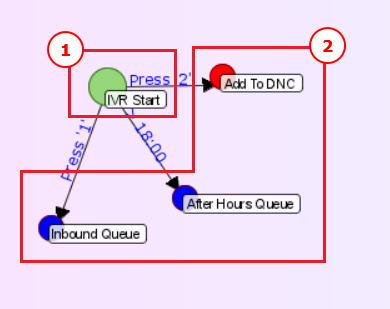
IVRs are composed of Nodes (1) and Options (2). Nodes are menus which direct the caller to the Options available, while Options connect the caller to the appropriate destination. Destinations for an Option can include additional Nodes, Queues, User extensions and more.
IVR Map
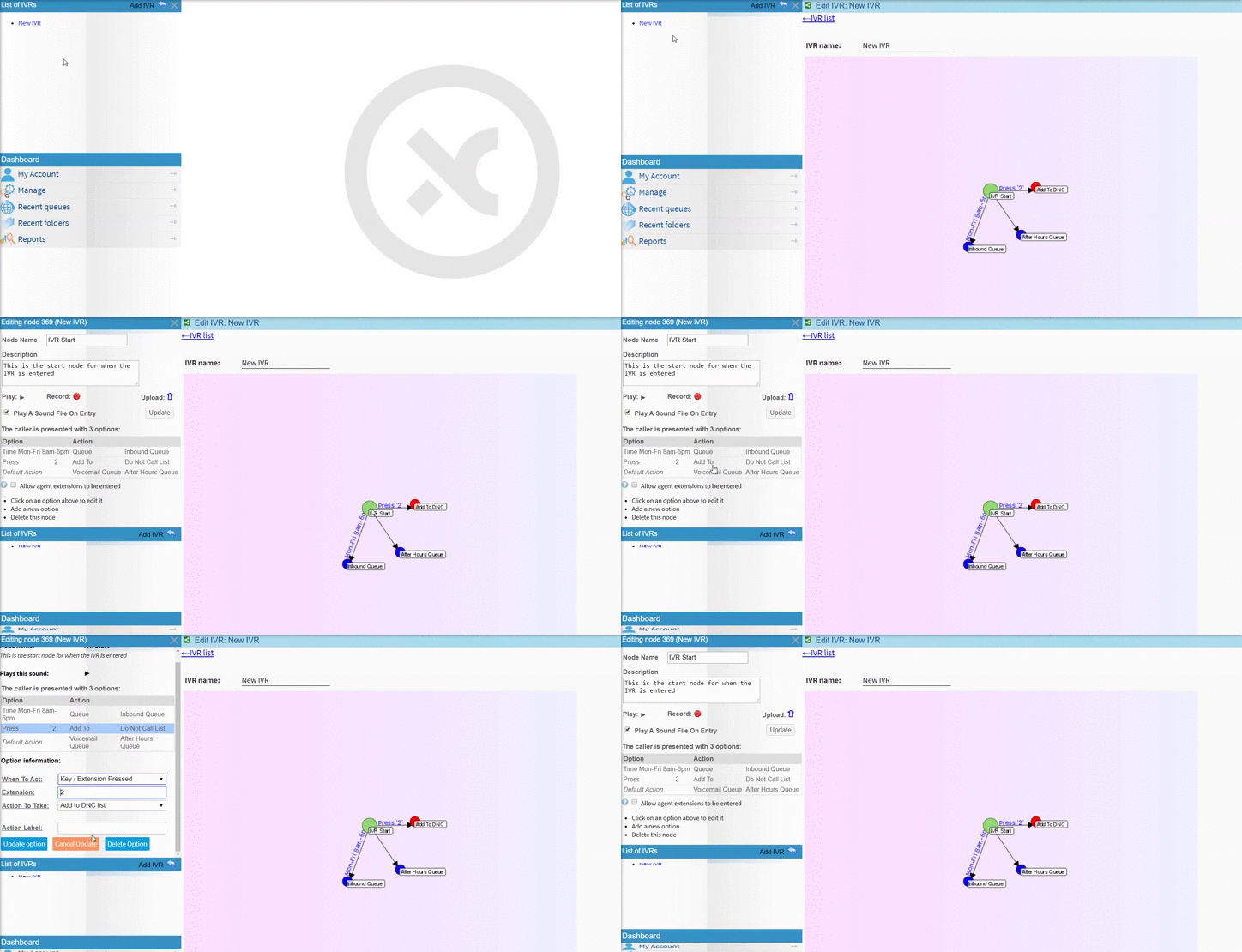
The IVR Map is a visual representation of the structure of an IVR. When you create an IVR and add Nodes and Options to it, the Map will be updated automatically.
By clicking on the Nodes and Options in the IVR Map, you can view and manage the Configuration Options for them.
Was this article helpful?
That’s Great!
Thank you for your feedback
Sorry! We couldn't be helpful
Thank you for your feedback
Feedback sent
We appreciate your effort and will try to fix the article